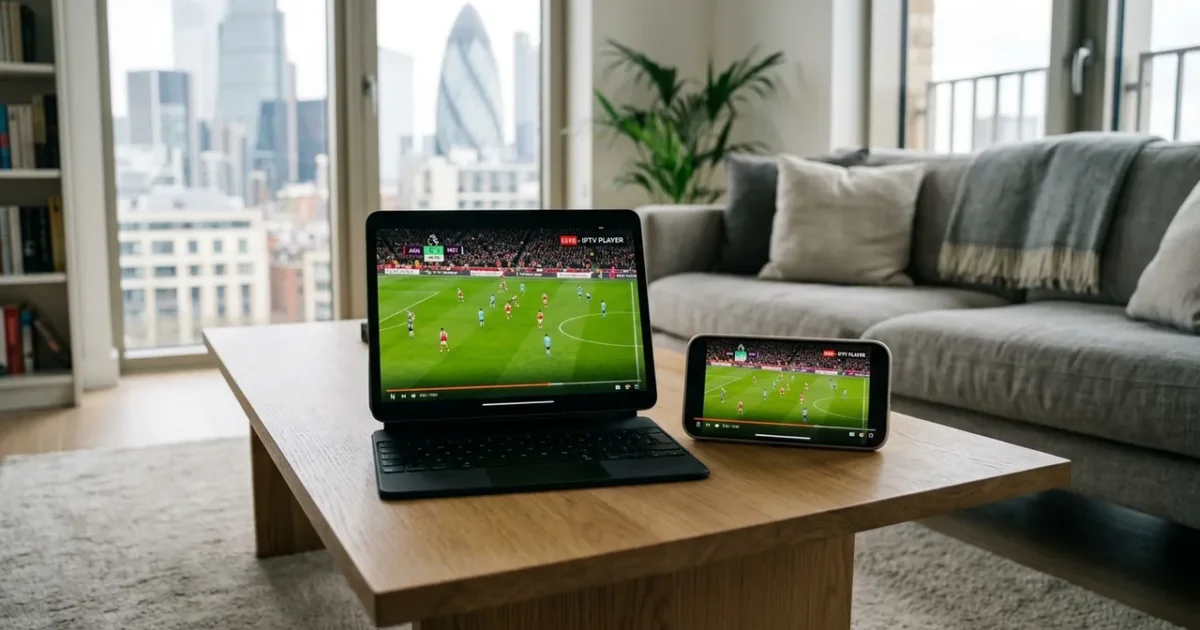
Want to watch IPTV on your Roku in the UK? You’re in the right place. This guide covers everything you need to set up IPTV on Roku Streaming Stick — including the best app, step-by-step instructions, and troubleshooting tips.
With an IPTVSelect subscription, you get 10,000+ live channels (including all Sky Sports and TNT Sports), 4K streams, 50,000+ VOD titles, and a free 24-hour trial — all working seamlessly on your Roku.
Best IPTV App for Roku UK 2026
The best IPTV app for Roku Streaming Stick in 2026 is The Channels app + M3U. It’s available via Roku Channel Store and supports HD, Full HD, and 4K streams with a built-in EPG (TV guide) and VOD library.
| Detail | Info |
|---|---|
| Device | Roku |
| Operating System | Roku OS |
| Recommended App | The Channels app + M3U |
| App Source | Roku Channel Store |
| Compatible Models | Roku Express+, Roku Streaming Stick 4K, Roku Ultra |
| Setup Difficulty | Medium |
How to Set Up IPTV on Roku UK: Step-by-Step
- Step 1: On Roku, press the Home button and navigate to Streaming Channels
- Step 2: Search for ‘The Channels’ or ‘IPTV Smarters’ in the store
- Step 3: Install the app and open it
- Step 4: Go to Settings within the app and add a new playlist
- Step 5: Enter your IPTVSelect M3U URL
- Step 6: Your channel list loads — navigate with the Roku remote
💡 Pro Tip: Roku has limited IPTV support compared to Firestick or Android TV. If you already have a Roku, it works fine for IPTV. New buyers should consider a Firestick 4K Max instead for a wider app selection.
What Channels Do You Get on Roku?
Once set up on your Roku, IPTVSelect gives you access to:
- 10,000+ live channels — UK, sports, entertainment, news, and international
- Sky Sports 1–13 — Premier League, F1, cricket, golf, tennis (included, no add-on)
- TNT Sports 1–4 — Champions League, Europa League, UFC, boxing
- Premier League — all 380 matches including 3PM Saturday games (no blackout)
- PPV events — boxing, UFC pay-per-view included at no extra cost
- 4K/UHD streams — 200+ channels in Ultra HD
- 50,000+ VOD — movies and TV series on demand
- Catch-up TV — watch missed programmes up to 7 days later
How Much Does IPTV Cost on Roku?
The app itself is free. You just need an IPTVSelect subscription:
| Plan | Price | Per Month |
|---|---|---|
| 1 Month | £9.99 | £9.99/mo |
| 3 Months | £24.99 | £8.33/mo |
| 6 Months | £39.99 | £6.67/mo |
| 12 Months (Best Value) | £59.99 | £5.00/mo |
Compare that to Sky TV (£50–£94/month) — IPTV on Roku costs up to 95% less for more channels. Try free for 24 hours before committing.
What Internet Speed Do You Need for IPTV on Roku?
- SD quality: 10 Mbps minimum
- HD / Full HD: 25 Mbps recommended
- 4K Ultra HD: 50 Mbps or faster
Most UK fibre broadband connections handle IPTV on Roku easily. For the best 4K experience, connect via ethernet if possible. See our full internet speed guide.
Also Compatible: IPTV on Firestick
If you also want to watch on your Firestick, we have a dedicated setup guide: IPTV on Firestick UK — Full Setup Guide.
In real-world use, Roku owners report that IPTV works best when using The Channels app + M3U on Roku OS. The roku express+, roku streaming stick 4k, roku ultra handle 4K streams without issue. Roku has limited IPTV support compared to Firestick or Android TV. If you already have a Roku, it works fine for IPTV. New buyers should consider a Firestick 4K Max instead for a wider app selection. This makes the Roku Streaming Stick one of the most reliable platforms for UK IPTV in 2026 — especially for households that already have a Samsung, LG, or Sony TV and don’t want to buy extra hardware.
Frequently Asked Questions
Q: Does IPTV work on Roku?
Yes — Roku is fully compatible with IPTV via the The Channels app + M3U app. Follow the steps above to get set up in under 10 minutes.
Q: Is IPTV legal on Roku in the UK?
Yes — IPTV technology is legal in the UK. IPTVSelect is a licensed UK IPTV provider. Read our full guide on IPTV legality.
Q: Do I need a subscription to watch IPTV on Roku?
You need an IPTVSelect subscription (from £5/month). The app itself is free. Start with our free 24-hour trial.
Q: What is the best IPTV app for Roku?
The Channels app + M3U is the best IPTV app for Roku Streaming Stick in 2026. It supports 4K, has an EPG TV guide, and handles large channel libraries without buffering.
Ready to Watch IPTV on Your Roku?
Get started in minutes with a free 24-hour trial — no credit card required. You’ll have 10,000+ channels live on your Roku within 10 minutes. Start your free trial now →
Need help? View all compatible devices at our IPTV devices guide or full installation guide.
For more information on IPTV regulations in the UK, visit Ofcom, the UK’s communications regulator. You can also check tech reviews on The Verge for the latest streaming technology comparisons.
Related Guides
- Best IPTV UK
- IPTV Subscription UK
- IPTV Firestick Setup
- Best IPTV Devices UK
- Is IPTV Legal UK
- IPTV Premier League
- IPTV vs Sky UK
- Best VPN for IPTV