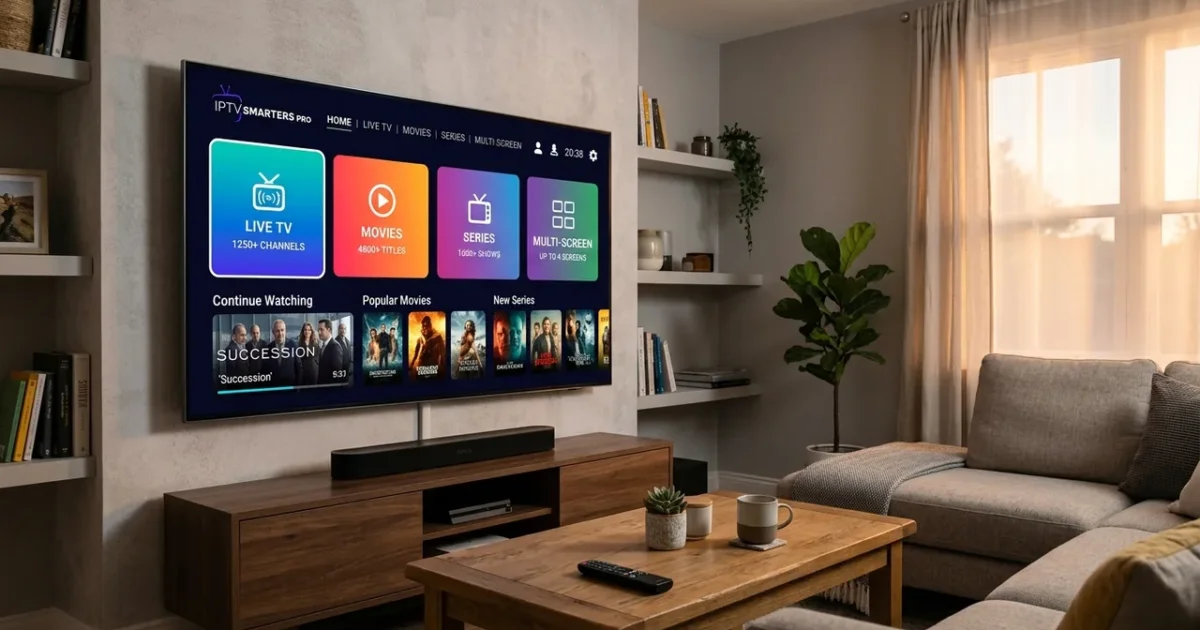
IPTV Smarters Pro is one of the most popular IPTV player apps in the UK in 2026, available on Firestick, Android TV, iOS, Android phones, Windows PC, and Mac. This guide covers everything UK users need to get IPTV Smarters working — from installation and login to EPG setup, parental controls, and advanced settings for buffer-free streaming on IPTV Smarters Pro.
What is IPTV Smarters Pro?
IPTV Smarters Pro is a white-label IPTV player app that connects to your IPTV subscription via Xtream Codes API, M3U URL, or local playlist files. Unlike TiviMate (Android TV only), IPTV Smarters Pro works across virtually every platform — Firestick, Android TV, iPhone, iPad, Mac, Windows PC, and Samsung/LG Smart TVs — making it the most versatile IPTV player for UK households with mixed device types.
How to Install IPTV Smarters Pro on Firestick UK
- Enable Apps from Unknown Sources — Settings → My Fire TV → Developer Options → Apps from Unknown Sources → Turn ON
- Install Downloader — Search for “Downloader” in the Amazon App Store and install it
- Open Downloader and enter the IPTV Smarters Pro APK URL provided in your IPTV subscription welcome email
- Install the APK — Downloader will prompt you to install. Select Install, then Done
- Open IPTV Smarters Pro and click “Login with Xtream Codes API”
- Enter your IPTV credentials — Server URL, Username, and Password (from your IPTV provider’s welcome email)
- Click “Add User” — your channel list will load automatically
IPTV Smarters Pro Setup — Best Settings for UK Users
After logging in, configure these settings for optimal UK streaming:
- Player — Settings → Player → External Player → Select “MX Player” or “VLC” for better codec support
- Buffer Size — Settings → Player → Buffer Size → Set to “Small” (reduces channel switching time) or “Large” (reduces freezing on slower connections)
- EPG (Electronic Programme Guide) — Settings → EPG → EPG Source → Enter the EPG URL from your provider
- Video Format — Settings → Video → Select 1080p 60fps or 4K 50fps depending on your TV and internet speed
- Audio — Settings → Audio → Passthrough enabled if you have a soundbar or AV receiver
- Auto Start — Settings → General → Auto Start on TV Boot (convenient for living room setups)
IPTV Smarters Pro on iPhone & iPad UK
For iOS devices, IPTV Smarters Pro is available on the Apple App Store. The setup is identical to the Android version — enter your Xtream Codes credentials (Server URL, Username, Password) and your channel list loads instantly. Key iOS tips:
- AirPlay — Stream from iPhone to Apple TV or AirPlay-compatible TV
- Background Play — Enabled by default on iOS (audio continues when app is backgrounded)
- VPN Required — Some UK ISPs throttle IPTV; use a VPN with IPTV for reliable streaming
IPTV Smarters vs IPTV Smarters Pro — What’s the Difference?
There are two versions of the app:
| Feature | IPTV Smarters (Free) | IPTV Smarters Pro (Paid) |
|---|---|---|
| Price | Free | £2.99–£4.99 one-time |
| Multi-screen | 1 screen | Up to 4 screens |
| Catch-up TV | Limited | Full support |
| Parental Controls | No | Yes (PIN-protected channels) |
| No ads | Ads present | No ads |
| Recording | No | Cloud recording |
For most UK users, the free IPTV Smarters app is sufficient. Upgrade to Pro if you need multi-screen viewing (e.g., watching two Premier League matches simultaneously), parental controls, or catch-up TV.
IPTV Smarters Pro Not Working? Common Fixes
“Xtream Codes API Invalid” error — Double-check your Server URL, Username, and Password. Ensure the URL does not include “http://” if the provider specified just the IP address.
Channels not loading — Check your internet connection. Switch to mobile data to test if your ISP is throttling IPTV. A VPN is usually the fix.
No EPG data — Enter or update the EPG URL in Settings → EPG. Some providers send the EPG URL separately from the M3U.
Audio out of sync — Switch the player to “External Player” (MX Player or VLC) and enable audio passthrough.
Frequently Asked Questions — IPTV Smarters UK
Is IPTV Smarters Pro free?
The standard IPTV Smarters app is free with ads. IPTV Smarters Pro costs £2.99–£4.99 one-time for premium features.
Is IPTV Smarters Pro on the Amazon App Store?
No — IPTV Smarters Pro is not available in the Amazon App Store for Firestick. It must be sideloaded via Downloader. IPTV Smarters Pro is available in the Google Play Store for Android TV and the Apple App Store for iOS.
Does IPTV Smarters work with any IPTV provider?
Yes — any IPTV provider that provides Xtream Codes API login or M3U URLs works with IPTV Smarters. IPTVSelect provides full Xtream Codes credentials in your welcome email.
What is the best IPTV player for UK users?
For Android TV / Firestick, TiviMate is the best IPTV player. For cross-platform use (iPhone, iPad, Mac, Windows, Android phone), IPTV Smarters Pro is the better choice.
Get Started with IPTV Smarters Today
Whether you prefer TiviMate on Firestick or IPTV Smarters Pro across all your devices, an IPTVSelect subscription gives you full Xtream Codes API access for instant setup on any player. No technical knowledge needed — just enter your credentials and start watching 10,000+ live channels including every sports channel in 4K HDR.
Try IPTVSelect free for 24 hours → No credit card, no contract. Includes full Xtream Codes API access for IPTV Smarters Pro setup.
Related guides: TiviMate Setup Guide UK | Install IPTV on Firestick | IPTV Firestick Setup | Best IPTV Devices
For technical streaming definitions and standards, see the Wikipedia IPTV Technical Overview.