MAG boxes — the compact Linux-based set-top boxes produced by Infomir — have been a fixture of the UK IPTV market for over a decade. Compact, energy-efficient, and purpose-built for IPTV, a MAG box connects to your TV via HDMI and runs on a dedicated IPTV-optimised Linux operating system called Stalker. Setting up IPTV on a MAG box in the UK is a straightforward process once you have the portal URL from your IPTV provider — but in 2026, MAG boxes face increasingly stiff competition from Android-based alternatives that offer superior app ecosystems and more flexible IPTV players. this MAG box IPTV UK guide covers MAG box setup alongside an honest comparison of when a MAG box is still the right choice versus when an Android alternative makes more sense.
Whether you are new to MAG box IPTV UK or looking to upgrade your setup, this MAG box IPTV UK guide covers everything you need to know.
What Is a MAG Box?
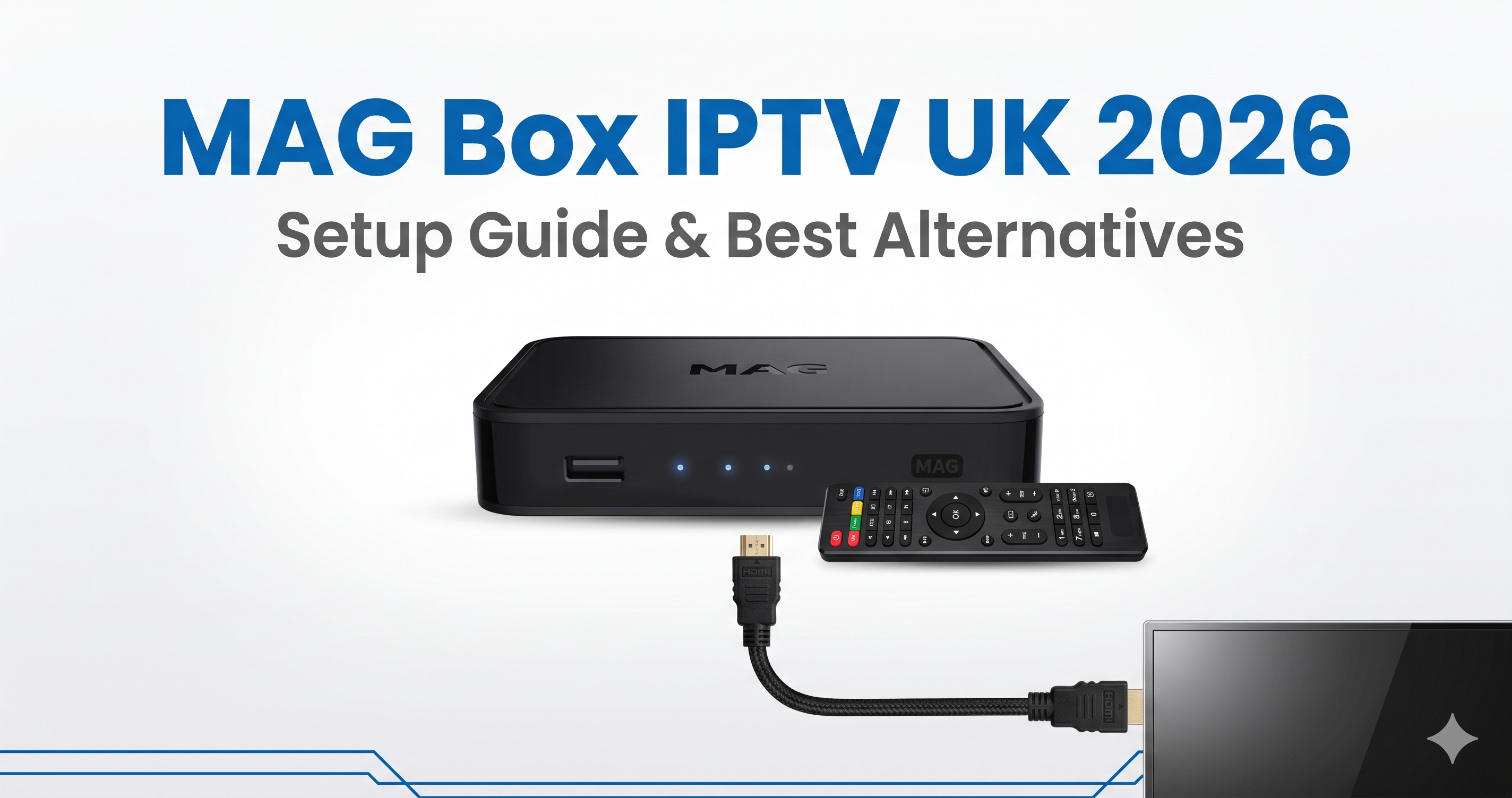
MAG box IPTV UK is one of the most searched topics for UK IPTV viewers. MAG boxes (currently the MAG 520, 522w, 524, and 540 models from Infomir) are dedicated IPTV set-top boxes running a Linux-based firmware with the Stalker Middleware IPTV client built in. Unlike Android TV boxes that run general-purpose Android with IPTV apps installed on top, MAG boxes boot directly into an IPTV interface that’s configured by entering a “portal URL” — a server address provided by your IPTV provider that delivers the channel list, EPG, and streaming configuration automatically.
MAG boxes connect to your TV via HDMI and to the internet via Ethernet or Wi-Fi (on ‘w’ suffix models). They’re controlled via an included IR remote and draw very little power — typically 5–8 watts in use. The MAG interface shows channel categories on the left and the EPG on the right, with a standard D-pad navigation style that most UK users find intuitive after a few minutes. When it comes to MAG box IPTV UK, UK viewers have more options than ever in 2026.
Step-by-Step: Setting Up a MAG Box for IPTV UK
- Connect your MAG box — HDMI to your TV’s HDMI input, Ethernet to your router (recommended over Wi-Fi for stream stability), and power adapter to mains. Turn on your TV and select the correct HDMI input.
- Complete initial setup — On first boot, the MAG box guides you through language, time zone (select “Europe/London”), and network setup. Connect to your router via Ethernet for the most reliable setup.
- Access the system settings — Once on the MAG home screen, press the Menu button on your remote and navigate to System Settings.
- Enter your portal URL — Navigate to Servers → Portals. Enter Portal 1 Name (e.g. “IPTVSelect”) and Portal 1 URL — the portal URL provided by your IPTV provider. IPTVSelect customers receive this portal URL instantly via WhatsApp after subscribing.
- Save and reboot — Save settings and restart the MAG box. On reboot, it connects to the portal URL, authenticates your subscription using the box’s MAC address, and loads your full channel list and EPG automatically.
- Register your MAC address — Your IPTV provider needs your MAG box’s MAC address to authorise it. The MAC address is displayed on the MAG home screen (before portal loading) and on a sticker on the underside of the box. Provide this to your provider when subscribing.
MAG Box Models Available in the UK (2026)
| Model | Resolution | Wi-Fi | Price (UK) | Best For |
|---|---|---|---|---|
| MAG 520 | 4K UHD | No (Ethernet only) | ~£69 | Wired Ethernet setups |
| MAG 522w3 | 4K UHD | Wi-Fi 5 dual band | ~£79 | Wireless setups |
| MAG 524w3 | 4K UHD | Wi-Fi 6 | ~£89 | Best Wi-Fi performance |
| MAG 540 | 4K UHD + Dolby Vision | Wi-Fi 6 | ~£99 | Premium HDR quality |
MAG Box vs Android TV Box for IPTV: Which Is Better in 2026?
| Feature | MAG Box | Android TV Box (TiviMate) |
|---|---|---|
| Setup complexity | Low (portal URL only) | Low–Medium |
| EPG quality | Basic | Excellent (TiviMate) |
| Channel switching | 2–4 seconds | Under 1 second |
| App ecosystem | IPTV only | Full Android (Netflix, Disney+) |
| Catch-up recording | No | Yes (TiviMate Companion) |
| 4K HDR support | Yes (MAG 540) | Yes |
| Price | £69–£99 | £45–£169 |
MAG boxes excel at one thing: simplicity. Enter a portal URL and everything works automatically — no app installations, no sideloading, no configuration menus. For users who want a completely dedicated IPTV device with minimal technical involvement, a MAG box is still a valid choice in 2026. However, for users who want TiviMate’s superior EPG, sub-second channel switching, catch-up recording, or the ability to run Netflix and Disney+ on the same device, an Android TV box or Firestick 4K Max is the better investment at a similar price point.
For anyone researching MAG box IPTV UK, the information in this section is particularly relevant.
Common MAG Box Problems and Solutions
MAG Box Not Loading Portal / Showing “Loading” Indefinitely
This is almost always caused by either the wrong portal URL or the MAG box’s MAC address not being registered with your provider. Verify the portal URL is exactly correct (no extra spaces, correct HTTP/HTTPS prefix) and confirm your provider has registered your specific MAG box’s MAC address — not a generic MAC. If the URL and MAC are both correct, restart both the MAG box and your router. This makes MAG box IPTV UK one of the most practical choices for UK households.
EPG Not Loading on MAG Box
MAG box EPG data is delivered via the portal URL automatically — if channels load but the EPG is empty, it’s usually a temporary server-side issue that resolves within 15–30 minutes. Force an EPG refresh via Menu → Settings → System Settings → Portals → Force Update. Understanding MAG box IPTV UK will help you make the best decision for your streaming needs.
Frequently Asked Questions — MAG Box IPTV UK
What portal URL do I need for a MAG box?
The portal URL is provided by your IPTV provider when you subscribe. IPTVSelect delivers your portal URL, along with your MAC address registration confirmation, instantly via WhatsApp. The portal URL format is typically: http://provider-domain.com/c/ — your provider will supply the exact URL for their server. The popularity of MAG box IPTV UK among UK viewers continues to grow year on year.
Can I use a MAG box with any IPTV provider?
Yes, as long as the provider supports MAG/Stalker portal connections. Most UK IPTV providers support MAG boxes alongside M3U and Xtream Codes. Confirm MAG portal support with your provider before purchasing a box — IPTVSelect supports all three connection methods including MAG portal. When it comes to MAG box IPTV UK, UK viewers have more options than ever in 2026.
Is a MAG box better than a Firestick for IPTV?
For pure IPTV simplicity, MAG boxes have the edge — portal URL entry is faster to configure than Firestick sideloading. However, the Firestick 4K Max running TiviMate delivers significantly superior EPG quality, faster channel switching, catch-up recording, and the ability to run Netflix, Disney+, and BBC iPlayer on the same device. At similar price points, the Firestick + TiviMate combination is the better overall investment for most UK users. For anyone researching MAG box IPTV UK, the information in this section is particularly relevant.
Related IPTV Guides
- Firestick IPTV setup — MAG alternative
- best Android TV box for IPTV UK
- TiviMate setup guide UK
- best IPTV services UK 2026
Got a MAG box ready to configure? Try IPTVSelect free for 24 hours — portal URL and MAC registration via WhatsApp, channels on screen in minutes. Message us now to get started. This makes MAG box IPTV UK one of the most practical choices for UK households.
Everything You Need to Know About MAG box IPTV UK
If you are looking for the best MAG box IPTV UK experience in the UK, the key is choosing a reliable provider. Many UK viewers searching for MAG box IPTV UK are surprised by how affordable and accessible it has become in 2026. The demand for MAG box IPTV UK among UK households has grown significantly over the past two years. Getting started with MAG box IPTV UK is straightforward once you have the right equipment and subscription in place.
Further Reading
- Best IPTV Devices for UK 2026
- How to Set Up IPTV on Firestick
- How to Stop IPTV Buffering