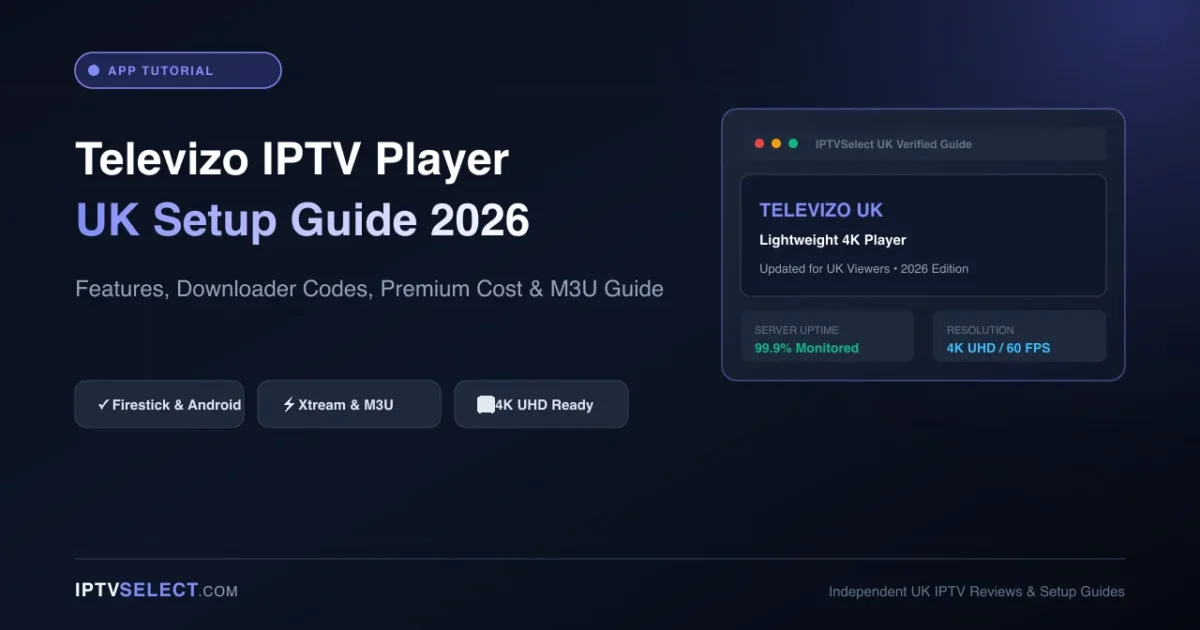
Among the wide variety of modern media players available for UK streaming fans, the televizo iptv player has rapidly gained popularity as one of the cleanest, fastest, and most dependable applications on Android and Amazon Fire TV devices. Unlike bloated applications that suffer from sluggish navigation and heavy memory consumption, Televizo provides an ultra-responsive interface designed specifically for smooth channel zapping, instant EPG loading, and buffer-free live sports playback on your IPTV subscription in the UK.

In this 2026 UK guide, we cover everything you need to know about Televizo: how it compares to heavyweights like TiviMate and IPTV Smarters Pro, a step-by-step Firestick sideloading tutorial with working Downloader codes, an in-depth breakdown of the Televizo premium cost and features, and the best settings to optimize 4K Premier League and Champions League streams.
What is Televizo IPTV Player?
Televizo is an independent streaming media player developed for Android-based devices, including the Amazon Fire TV Stick, Nvidia Shield TV, Chromecast with Google TV, Android smart TVs, and mobile devices. It does not provide any television channels, video playlists, or content itself. Instead, it serves as an advanced, hardware-accelerated playback shell that connects to your provider using either an M3U playlist URL or the high-speed Xtream Codes API.
Key Features of Televizo IPTV Player
- Hardware & Software Decoder Switching: Seamlessly toggle between HW, HW+, and SW decoding engines to eliminate video stuttering on budget Firesticks.
- Multiple Playlist Management: Add and organize multiple provider credentials, backup playlists, and regional channel packages simultaneously.
- Comprehensive EPG Support: Full support for XMLTV and GZ EPG formats with automatic daily schedule updates and time shift adjustments.
- Parental Controls: Secure sensitive categories and adult channels with custom PIN protection.
- Advanced Audio & Subtitle Selection: Switch between commentary audio tracks (e.g., stadium sound or alternate languages) and toggle multi-language subtitles during live broadcasts.
- Intuitive Search & Favourites: Group channels across sports, movies, and documentary tiers into custom favourite lists accessible in a single click.
Televizo Free vs Televizo Premium Cost in the UK
Televizo is available as a free application, but unlocking its full feature set requires a one-time purchase or small subscription to Televizo Premium. For UK viewers evaluating whether to upgrade, here is an exact comparison:
| Feature | Free Version | Televizo Premium |
|---|---|---|
| Playlists Allowed | Single Playlist | Unlimited Playlists |
| In-App Banner Ads | Yes (Bottom Menu) | Completely Ad-Free |
| Catch-Up & Archive TV | Basic | Full Multi-Day Catch-Up Support |
| Parental Control PINs | Limited | Full Category & Channel Locking |
| Custom Channel Sorting | Default Order | Drag-and-Drop Custom Reordering |
| UK Cost (Approx.) | £0.00 | ~£1.99/year or ~£5.49 Lifetime |
At approximately £5.49 for a lifetime licence, Televizo Premium is significantly cheaper than TiviMate Premium (which costs approximately £32 for lifetime access). For budget-conscious UK streamers who want a clean, ad-free experience without a high price tag, Televizo Premium offers exceptional value.
How to Install Televizo on Firestick UK (Step-by-Step)
Because Televizo is primarily hosted on the Google Play Store, Amazon Fire TV users must sideload the APK using the official Downloader application. Follow these simple steps:
Step 1: Install Downloader
From your Firestick home screen, navigate to Find > Search, type “Downloader”, select the orange app icon, and click Download / Get.
Step 2: Enable Developer Options
Go to Settings > My Fire TV > About. Highlight your device name and click the center remote button 7 times until you see the message “No need, you are already a developer”. Press back once, select Developer Options > Install Unknown Apps, and toggle Downloader to ON.
Step 3: Enter the Televizo Download Code
Open Downloader and enter the quick download code for Televizo or visit the official site at televizo.net. Click Go to download the official APK file.
Step 4: Install and Delete APK
When prompted, click Install. After installation finishes, click Done, then choose Delete to remove the installation file and save valuable storage on your Firestick.
How to Set Up Your UK IPTV Playlist in Televizo
Once opened, configuring your subscription takes less than two minutes:
- Launch Televizo and click the Create Playlist button on the welcome screen.
- Choose between New M3U Playlist or New Xtream Codes API (Xtream Codes is strongly recommended for faster loading and automatic VOD categorization).
- Enter your credentials provided by your provider:
- Server URL: The base server address (e.g.,
http://your-server.com:8080). - Username: Your account username.
- Password: Your account password.
- Server URL: The base server address (e.g.,
- Select your EPG update interval (recommended: Every 24 hours).
- Click the checkmark in the upper-right corner. Televizo will instantly download your channel categories, live streams, and catch-up schedules.
Recommended Televizo Settings for UK Live Sports & 4K
To eliminate buffering during high-traffic Premier League or Champions League matchdays, adjust the following settings in Televizo:
- Video Player Engine: Go to Settings > Player and select Hardware (HW+). This offloads video rendering to your device’s dedicated GPU, reducing micro-stutters in 50fps and 60fps broadcasts.
- Buffer Size: Set buffer cache to Medium (5–10 seconds). This provides a safety cushion against temporary UK broadband dips without introducing noticeable channel switching delay.
- EPG Time Shift: If your programme schedule shows games starting one hour early or late due to British Summer Time (BST), go to Settings > EPG > Time Shift and adjust by +1 or -1 hour.
Frequently Asked Questions
Q: Does Televizo come with free UK TV channels?
No. Televizo is strictly a media player. You must connect it to a reliable service like our free 24-hour IPTV trial to watch live UK channels and sports.
Q: Is Televizo better than TiviMate for UK viewers?
TiviMate has a slightly slicker electronic programme guide, but Televizo is faster on entry-level Firesticks and costs only a fraction of TiviMate’s price for lifetime premium features.
Q: Can I use Televizo on Samsung or LG Smart TVs?
No, Televizo is an Android application. For Samsung and LG TVs, follow our SmartOne IPTV Setup Guide or Smart IPTV (SIPTV) Tutorial.
Summary: Is Televizo IPTV Player Worth It?
Televizo is one of the top lightweight IPTV players available in 2026. Its fast startup speed, reliable hardware decoding, and modest premium cost make it an outstanding choice for any UK viewer using an Amazon Firestick or Android TV box. Pair it with a verified, buffer-free provider by checking our Best IPTV UK 2026 Rankings or test your connection today with our IPTV Subscription UK Plans.