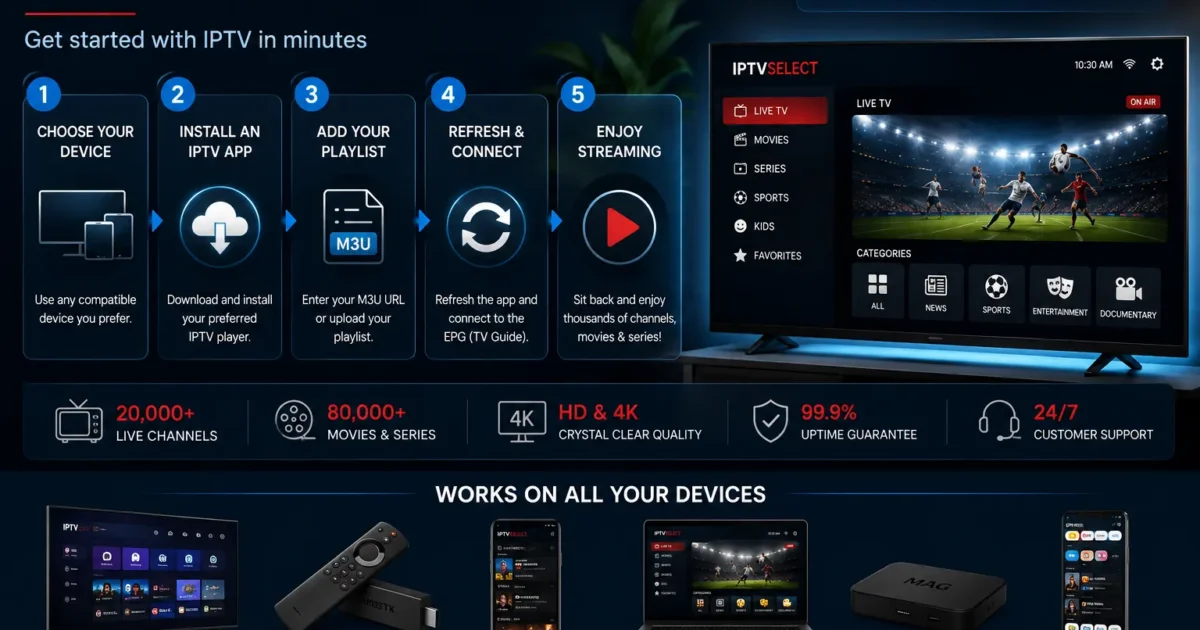
IPTV — Internet Protocol Television — is how television is delivered over the internet instead of through an aerial, satellite dish or cable. In 2026, it’s the answer UK households are landing on when they’re tired of paying satellite prices for fewer channels, locked into 24-month contracts, or juggling four separate streaming subscriptions to watch the shows they used to get in one place.
If you’re new to the term, this guide covers everything in one place: what IPTV actually is, how the technology works, what you can watch, which devices run it, what internet speed you need, what it costs in the UK, and how to choose a service that won’t let you down. It’s the starting point for the rest of this site — subscription details, provider selection, the best services compared and free trials each get their own dedicated guide.
Table of Contents
- What Is IPTV?
- How IPTV Works
- Types of IPTV
- Benefits of IPTV
- Compatible Devices
- IPTV for Sports
- IPTV for Movies & Series
- TV Channels & the EPG
- Streaming Quality & Internet Speeds
- Installation & Setup
- IPTV Pricing in the UK
- IPTV vs Cable vs Satellite
- IPTV vs Kodi and Other DIY Options
- IPTV vs NOW TV and Streaming Apps
- Troubleshooting Common IPTV Problems
- Kids’ Channels & Family Controls
- The Future of IPTV in the UK
- Is IPTV Legal in the UK?
- Choosing an IPTV Service
- A Quick Decision Matrix
- IPTV FAQ
- Conclusion
What Is IPTV?
IPTV stands for Internet Protocol Television. The name describes the delivery method: instead of broadcasting a signal through the air (terrestrial), bouncing it off a satellite, or pushing it down a cable pipe, IPTV sends television content as data packets over an internet connection — the same kind of network that carries your email and web browsing.
Three characteristics define IPTV:
- On-demand by nature. Content is streamed to you when you request it, rather than broadcast to everyone at once.
- Interactive. You can pause, rewind, search and navigate an electronic programme guide (EPG) — the viewing experience is closer to a streaming app than to a broadcast channel.
- Device-independent. Because the content arrives as standard internet data, it can be decoded by almost anything with a screen and a connection: a TV, a phone, a laptop, a games console.
IPTV is not a niche technology. Broadcasters worldwide deliver content this way, and the UK’s own free-to-air channels are available over internet connections as well as aerials. When people talk about “getting IPTV” in the UK, they mean subscribing to an IPTV service that bundles live TV channels, sports packages and on-demand libraries into one login — the subject of this guide.
How IPTV Works
Understanding the basics of how IPTV works will help you judge services later — and it isn’t complicated.
The delivery. Television signals are converted into digital data and streamed to your device over your broadband connection using internet protocols (hence the name). Your device receives the data continuously and plays it back in real time. The same internet connection you use for browsing handles the television.
Two technical standards dominate the consumer market:
- M3U. A playlist format — a list of channel URLs, often in a single file or web link. Paste the link into a player like VLC or an IPTV app and the channel list loads. M3U is the simplest format and works almost everywhere.
- Xtream Codes. A structured login system: server URL, username and password. You enter the three details into an IPTV app, and the app builds your channel list, EPG and VOD sections automatically. It’s the standard used by most subscription services in 2026 because it handles large channel lists and guides more cleanly than M3U.
The infrastructure. Between the provider and your screen sit the provider’s servers — computers that hold the channels and deliver the streams. The capacity and quality of these servers is the determining factor in how good a service feels. A well-provisioned server delivers channels in seconds and holds stable streams when everyone’s watching the same match; an overloaded one buffers, freezes and drops out at peak times. This is why “which provider?” matters far more than “which app?” — and why every serious guide tells you to test before buying.
Key takeaway: IPTV = television over the internet. The two things that decide your experience: your broadband connection and the provider’s server capacity.
Types of IPTV
Not all IPTV is the same product. Three types cover the market:
1. Live television (linear IPTV). Exactly what it sounds like: live TV channels streamed in real time, watched through an electronic programme guide. This is the core of a UK IPTV subscription — BBC, ITV, Sky Sports, TNT Sports, international channels, and everything in between, delivered the same way a satellite box delivers them.
2. Video on demand (VOD). Films and series available whenever you want them, like Netflix. In the IPTV world, this is the library attached to your subscription — in a premium service, tens of thousands of titles including recent releases.
3. Time-shifted television (catch-up). Programmes from the last few days, available to rewatch after they’ve aired. Some services also offer a live-pause and rewind function, which satellite and aerial TV can’t provide at all.
A premium UK IPTV subscription combines all three under one login: the live channel list, the on-demand library and the catch-up window are all part of the same package. The distinction matters when you compare services — a service with a huge channel list but no VOD is a different product from one with both.
Benefits of IPTV
Why do UK households switch from satellite and cable to IPTV? The reasons are consistent:
The price gap. A full Sky package with sports runs £75–£94 a month; IPTVSelect’s complete package is £5–£10 a month depending on plan length. That’s not a discount — it’s a different price class. Over a year, switching can save roughly £1,000.
Everything in one place. IPTV combines live TV, every major sports package, films, series, kids’ content and catch-up in a single subscription. Instead of Sky + Netflix + sports add-ons, you get one login.
No contract. The premium tier of the UK market is contract-free. You stay because the service is good, not because you owe 18 months.
Any screen. The same subscription works on your TV, phone, tablet, laptop and console. Satellite ties you to its own box, per room.
No hardware rental. No set-top box costs folded into the bill, no dish install, no engineer appointment. You use devices you already own.
4K without add-ons. 200+ genuine 4K channels in a premium package, versus paying extra for a 4K tier with fewer channels elsewhere.
International content. Language and regional packages that UK satellite charges per-country for, included in one subscription.
The honest flip side: IPTV quality varies enormously by provider, and it depends on your broadband connection. Both of those are solvable — choose carefully, test first, and wire your device where you can — but they’re the real trade-offs, and any guide that pretends otherwise is selling something.
Compatible Devices
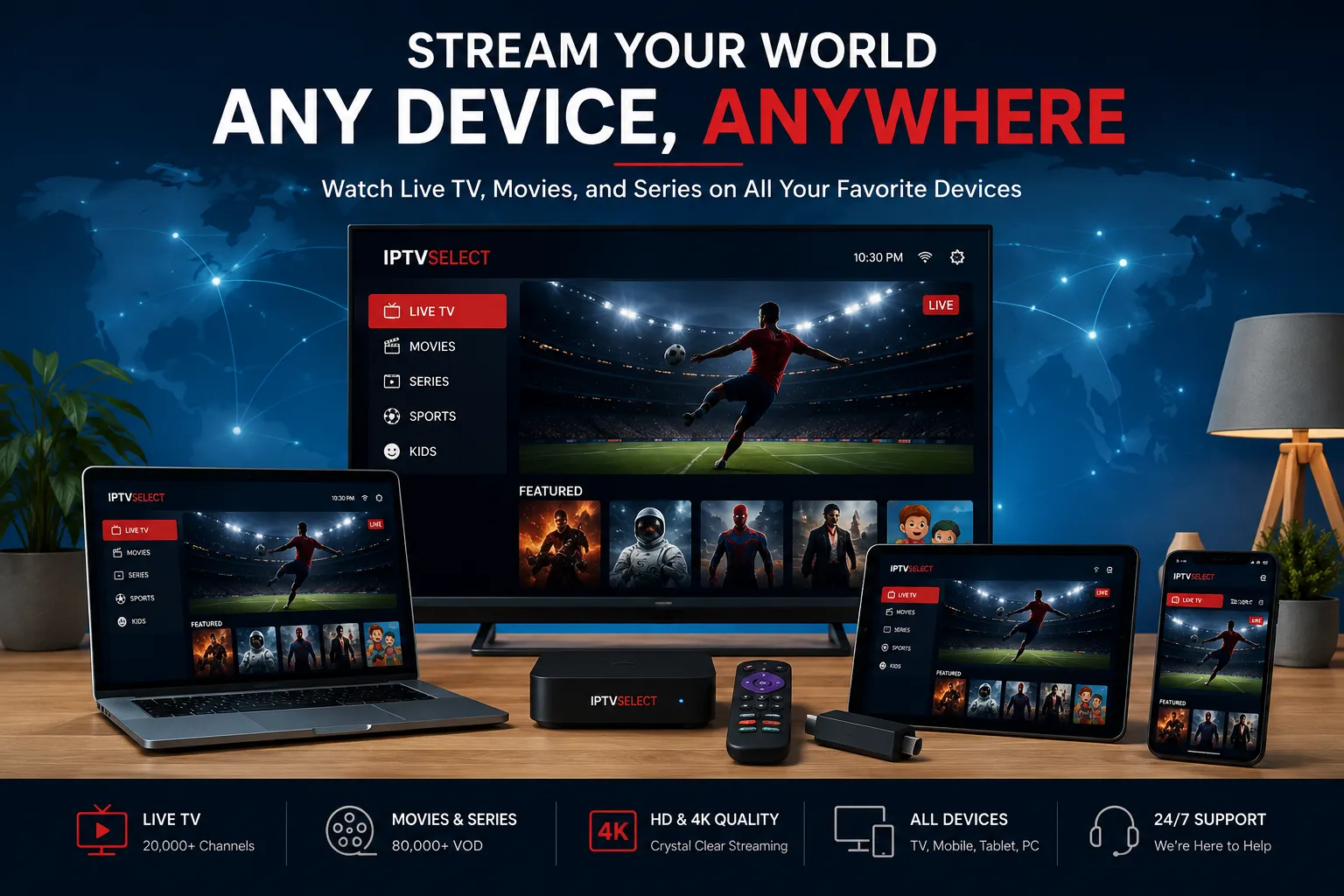
IPTV runs on almost anything you own. The full list:
| Device | How it works | Best apps |
|---|---|---|
| Amazon Fire TV Stick | The UK’s most popular choice — install an app, enter credentials | TiviMate, Smarters, IBO Player Pro |
| Android TV boxes | Play Store apps, full EPG experience | TiviMate, IPTV Extreme, Smarters |
| Samsung / LG / Sony TVs | Native apps, no extra box | TV-brand app store IPTV apps |
| iPhone & iPad | Full channel list on the go | GSE, Smarters, IBO Player |
| Android phones | Same credentials as your TV | IPTV Extreme, Smarters |
| Windows PC / Mac | Desktop player, or VLC for M3U | IBO Player, VLC |
| Xbox / PlayStation | Yes — consoles support IPTV apps | Smarters |
| MAG boxes | Portal mode with M3U/Xtream URLs | Built-in portal |
The rule of thumb: if it runs YouTube, it can run IPTV. Setup is identical everywhere — enter your server URL, username and password (or paste an M3U link), refresh the list, and the channels appear. Device-specific walkthroughs live on this site for Fire Stick, Samsung TV, LG TV, Sony TV, Apple TV, iPhone and iPad, Android, Mac, Windows, Xbox, PlayStation, Roku, Chromecast and MAG boxes.
IPTV for Sports
Sports is the reason most UK households buy IPTV, so it deserves its own section. Here’s what a premium service covers:
The UK line-up. Sky Sports Main Event, Premier League, Football, Cricket, Golf, F1, Action, Arena and News; TNT Sports 1–4; Premier League across all broadcasters; PPV events including boxing, UFC and wrestling. All included as standard — no sports add-on, no tier that hides the football.
The international line-up. US sports via international feeds — NBA, NFL, NHL, MLB — plus cricket from around the world, rugby across the hemispheres, tennis and golf majors, cycling, darts and snooker.
Why IPTV wins for fans. A satellite sports package costs £25–£30 a month on top of the base TV bill. IPTV includes the same coverage within the £5–£10 monthly package. And it travels: your match-day login works on your phone in the pub garden and your laptop at a friend’s house, not just on the box in the living room.
The honest caveat. Live sports is the heaviest load an IPTV server carries — every subscriber watching the same match at the same time. This is exactly why the provider matters more than the price, and why you should test the sports coverage on a free trial during a live event before paying anything. Sport-specific guides cover Premier League, Champions League, F1, boxing, UFC, rugby, cricket, golf and tennis.
IPTV for Movies & Series
The on-demand library is what turns IPTV from a TV replacement into a streaming replacement too. A premium subscription’s VOD section typically contains:
- Films — recent releases plus a deep back catalogue.
- TV series — current and classic shows, updated as episodes air.
- Box sets — complete seasons to binge without platform-hunting.
- Kids’ films and shows — a dedicated family section.
- Sport replays — full-match replays and highlights.
Two things separate a good library from a bad one, and both are visible within minutes: recency (are films from the last few months there?) and quality honesty (is “HD” genuine?). Services differ wildly on both. A static library of 50,000 stale titles is worth less than a maintained library of 20,000 fresh ones — which is why our VOD guide advises judging the library, not counting it.
TV Channels & the EPG
A live TV subscription is only as good as its guide. The EPG (electronic programme guide) is the grid of programme names and times you scroll through — the same concept as Sky’s planner, delivered as data.
What a premium UK channel list includes:
- UK free-to-air — BBC One and Two, ITV1, Channel 4, Channel 5 and the full terrestrial set.
- UK entertainment — E4, More4, 5Star, Dave, Comedy Central, ITV2–4, and the rest.
- News — BBC News, Sky News, GB News, CNN, CNBC, Al Jazeera, France 24 and international news.
- Documentaries — Sky Documentaries, National Geographic, Discovery, History, Crime + Investigation.
- Kids — CBeebies, CBBC, Nickelodeon, Cartoon Network, Disney Channel, Boomerang.
- Sports — the full Sky Sports and TNT Sports suites (see above).
- International — Indian, Pakistani, African, European, Middle Eastern and US packages.
- 4K/UHD — 200+ channels in genuine Ultra HD on a premium service.
What to check in an EPG: programme names and times matching reality, on channels you actually know. An accurate EPG means a maintained server; a wrong or empty one means neglect. Check it during your trial — it’s the most honest diagnostic on the whole list.
Streaming Quality & Internet Speeds
Quality complaints about IPTV almost always trace back to one of two causes: the provider’s server capacity or your own connection. Here’s how to isolate which one is yours.
What you need from your broadband:
| Use case | Minimum stable speed |
|---|---|
| SD/standard viewing | 5 Mbps |
| HD (1080p) | 10 Mbps |
| 4K/UHD | 25 Mbps |
| Multiple screens at once | 50 Mbps+ |
The word that matters is stable — headline speeds mean nothing if your connection fluctuates. Three practical rules: connect by ethernet cable where you can (a wired connection eliminates most Wi-Fi interference); sit close to the router for wireless devices; and test the service on the connection you’ll actually watch on, in the room you’ll watch in. Full detail lives in our internet speed guide and router guide.
What you need from the provider: channels that load in 1–3 seconds, streams that hold at peak times, and honest quality labels. A service that buffers on Tuesday morning is a broken service, not a busy one.
What to look for in the picture: genuine HD looks sharp on a big television; upscaled SD looks soft. Genuine 4K holds detail during fast movement — football, F1 — while fake 4K pixelates. Judge on your real screen, not your phone.
Installation & Setup
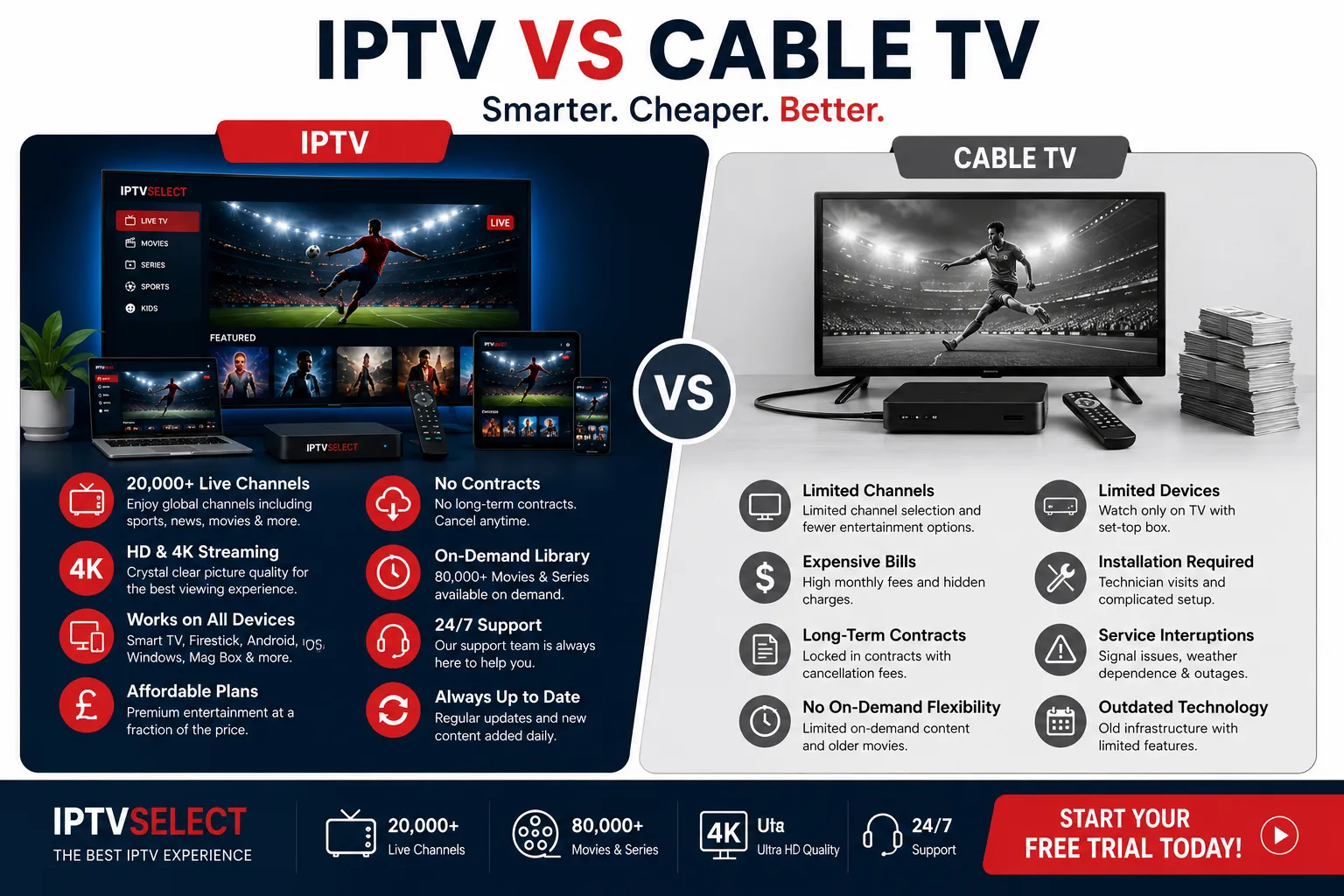
Installation is where IPTV beats every traditional option: there’s nothing to install by an engineer because there’s no hardware. The process, end to end:
- Pick your app. TiviMate is the UK favourite on Fire Stick and Android; IBO Player Pro and Smarters cover most other platforms. Free to install from the relevant app store.
- Add your credentials. Either Xtream Codes (server URL, username, password) or an M3U link, depending on what your provider sends.
- Refresh the playlist. The channel list builds itself. In TiviMate you can then organise favourites, reorder groups and set the EPG.
- Watch. That’s the entire installation.
From receiving credentials to watching live TV is normally under ten minutes. If it takes longer, the provider’s support — not a forum thread — should be a message away. Our installation guide walks through each step, and there’s a dedicated TiviMate setup guide for the most popular app. First-time buyers should also read the Fire Stick guide, since it’s the most common starting device in the UK.
IPTV Pricing in the UK
UK IPTV pricing falls into three bands, and understanding the bands explains most of the market:
The floor (£2–£4/month). Reseller capacity, minimal infrastructure, channel lists that look enormous and work poorly at peak times. Not always bad — but it’s a gamble, and the house usually wins.
The premium band (£5–£10/month). Real infrastructure, complete sports, maintained content, human support, trials and refunds. IPTVSelect sits here:
| Plan | Price | Effective monthly |
|---|---|---|
| 1 month | £9.99 | £9.99 |
| 3 months | £24.99 | £8.33 |
| 6 months | £39.99 | £6.67 |
| 12 months | £59.99 | £5.00 |
The traditional providers (£35–£94/month). Sky and Virgin aren’t in the same category, but the comparison is instructive: a full Sky package with sports runs around £1,128 a year against IPTVSelect’s £59.99 — for a fraction of the channels, with an 18–24 month contract and hardware rental in the mix. The subscription guide covers plans, add-ons and multi-connection options in detail, and the pricing page has the live numbers.
The honest rule: price is the worst way to choose a service, but it’s also the easiest way to eliminate one. Below £5/month, you’re not buying infrastructure; above £10/month without special features, you’re overpaying. The premium band is where value lives.
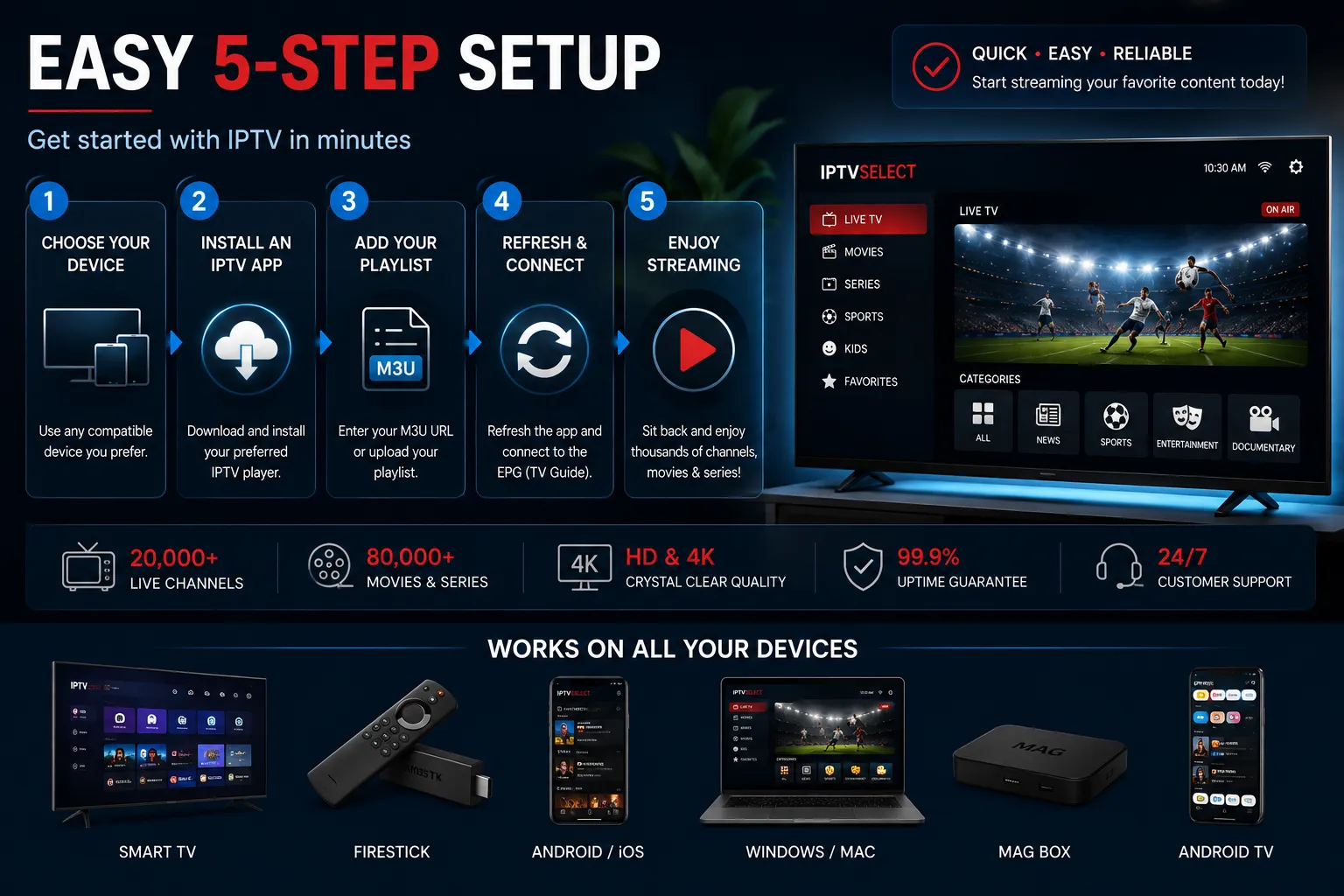
IPTV vs Cable vs Satellite
The classic comparison, settled quickly:
| IPTV | Satellite (Sky) | Cable (Virgin) | |
|---|---|---|---|
| Monthly cost | £5–£10 | £75–£94 | £35–£85 |
| Channel count | 10,000+ | 300–600 | 270–560 |
| Sports add-on | Included | ~£25–£30 extra | ~£20 extra |
| 4K | Included (200+) | Add-on | Limited |
| Contract | None | 18–24 months | 18–24 months |
| Hardware | Your own devices | Box rental included | Box rental included |
| Installation | Software only | Engineer, dish | Engineer, cable |
| Content on demand | 50,000+ titles | Limited library | Limited library |
| Works on phone/laptop | Yes | No | No |
IPTV isn’t better than cable and satellite in every way. Traditional TV has a level of “it just works” reliability, and established brands have decades of infrastructure. But the two advantages that decide most UK switch decisions are overwhelming: price (a different class entirely) and freedom (no contract, every screen, no hardware). The dedicated IPTV vs Sky, IPTV vs Virgin Media and IPTV vs streaming guides cover each match-up in depth.
IPTV vs Kodi and Other DIY Options
A question that comes up constantly: “Why pay for IPTV when I can set up Kodi or find free streams?” It deserves an honest answer.
Kodi is free, open-source media software that can play IPTV playlists if you install the right add-ons. It works — and it’s the wrong tool for most people. The setup is technical, the add-ons break constantly, the unofficial sources are the legal grey zone this guide keeps warning about, and the quality control is non-existent: there’s no one running servers, maintaining an EPG, or answering support messages at 3pm on Saturday. Kodi is a project; IPTV is a service. If you enjoy the tinkering, the IPTV vs Kodi guide covers the comparison in depth.
Free IPTV playlists circulating on forums and social media are a similar trap. They’re crowdsourced lists of streams that die without notice, with no EPG, no support, no stability and — often — content the hosts have no right to distribute. Free IPTV is how viewers get burned and then assume “all IPTV is unreliable”. Paid IPTV with real infrastructure is a different product entirely.
The honest framing: you pay for IPTV subscriptions the way you pay for any service — for the people maintaining it. A £5/month premium subscription buys servers that hold at peak time, a maintained EPG, a working VOD library and a support team. Free options buy none of those, and the time you spend fixing them costs more than the subscription ever would.
IPTV vs NOW TV and Streaming Apps
NOW TV (now Sky’s streaming service) is the closest mainstream comparison to an IPTV subscription, and the differences are worth understanding:
- Price structure. NOW TV sells day, week and month passes, and the sports pass alone runs to roughly £30–£35 a month — approaching satellite pricing for the one category it covers. An IPTV subscription bundles sports with everything else for £5–£10.
- Library. NOW TV carries Sky’s streaming catalogue. IPTV bundles live channels and a 50,000+ title library.
- Freedom. Both work on any device — that’s the streaming era’s baseline. The IPTV difference is the channel volume and the sports depth, not the device support.
The full numbers are in the IPTV vs NOW TV guide. The short version: NOW TV is a legitimate, reliable middle ground for households that want Sky content without a Sky contract; IPTV is the value play for households that want the full live-TV-and-sports package at a fifth of the price.
Troubleshooting Common IPTV Problems
IPTV problems are remarkably consistent, and most have simple causes. Before you blame the provider, work through these:
Buffering during peak hours only. Almost always a capacity issue on either side — the provider’s server or your home network’s evening congestion. Test a wired connection first. If wired fixes it, your Wi-Fi is the bottleneck (see the router guide). If it persists on ethernet, it’s the provider — and their support should know about it.
Buffering everywhere, all the time. Check your speed first: 10 Mbps stable for HD, 25 Mbps for 4K. If your speed is fine on paper but streaming lags, reboot the router, then try a VPN test to rule out ISP throttling — the VPN guide explains when this applies.
Channel won’t load. Try another channel first. One dead channel is normal maintenance; a pattern of dead channels across a category is a provider problem worth reporting.
No EPG data. Refresh the playlist in your app; if the guide stays empty, the provider’s EPG feed is down — and the TiviMate setup guide covers the app-side fix.
App crashes. Update the app, clear its cache, then re-enter credentials. App problems are almost never provider problems.
Login rejected. Check the credentials haven’t expired and that you’re using the current server URL — providers occasionally migrate servers, and support can reissue credentials in minutes.
One rule above all: a provider that can’t help you work through a problem is not a provider you should keep. Support is part of the product.
Kids’ Channels & Family Controls
Households with children buy IPTV for different reasons than match-watchers, and they should check different things:
The kids’ line-up. CBeebies, CBBC, Nickelodeon, Cartoon Network, Disney Channel, Boomerang and the family film sections in VOD — the full set a satellite package would charge for. The family guide (best IPTV for families UK) works through the channel list in detail.
Multi-room reality. Two kids’ channels running while you watch sport elsewhere means simultaneous streams — which is what connection counts are for. A subscription with extra connections handles family viewing properly; a single-stream plan creates nightly arguments.
Parental controls. The IPTV apps (TiviMate, Smarters, IBO Player Pro) support parental locks that restrict access to adult channels, and a premium provider’s channel organisation makes those locks straightforward to apply. Check the app supports PIN locking before you commit the family to a provider.
Content curation. The VOD libraries in IPTV include adult sections; a provider that organises its library cleanly makes parental control practical, while a chaotic library makes it a job. Both are visible during a trial.
The Future of IPTV in the UK
Where is the UK market heading? The trends are already visible:
Consolidation. The long tail of resellers is thinning as quality demands rise. Viewers have learned the trial lesson, and providers that can’t offer one are losing the customers they used to win on price alone. The survivors are the operators with infrastructure — the premium tier.
Quality over quantity. The arms race over channel counts is ending. Viewers are counting working channels and accurate EPGs instead of raw numbers, and providers are responding with maintained services rather than inflated playlists.
4K and beyond. 200+ 4K channels are now the premium standard, and broadcast-quality UHD is spreading beyond sports into films and documentaries. The ceiling keeps moving as UK broadband speeds rise.
Broadband partnership. IPTV quality tracks broadband quality. As fibre rollout continues across the UK, the household ceiling rises with it — more homes can run multi-screen 4K, and the provider’s capacity, not the connection, becomes the limiting factor.
Legitimation. Legal, licensed IPTV is growing as broadcasters themselves adopt internet delivery. The legal grey market shrinks as the legitimate premium tier matures — which is exactly why this guide keeps returning to the same advice: choose providers with published terms and licensed content, and you’re choosing the future rather than the footnote.
Is IPTV Legal in the UK?
IPTV technology is legal. It’s a delivery method — broadcasters, ISPs and streaming services all use it. What matters legally is the content: watching content you’re licensed to receive is legal; services distributing unlicensed content are not, and using them carries risk.
Practical guidance: a legitimate UK service publishes its terms, privacy policy and acceptable use policy, offers trials, stands behind its product with refunds, and answers questions about licensing directly. A service that hides its terms and its history is telling you what it is. IPTVSelect operates within UK law and publishes its terms, privacy policy, acceptable use policy and GDPR statement openly. For the full legal picture, see our guide to IPTV legality in the UK.
Choosing an IPTV Service
Everything in this guide condenses into a short checklist. Use it on every service you consider:
- Free trial, no card. Full access, no payment details, no restricted trial server. How trials should work.
- Sports without add-ons. The full Sky Sports/TNT Sports/Premier League suite at the base price.
- Peak-time test. Watch a live Saturday event during the trial. That’s the real server test.
- EPG accuracy. Wrong or empty listings = neglected server.
- Support that answers. Message them during the trial; time the reply.
- Published terms and a refund position. Grey-market services have neither.
- No contract. Your loyalty should be earned, not contracted.
- Honest pricing. Below £5/month, you’re not buying infrastructure. ~£1,000-a-year savings versus Sky are real; £2/month “everything” is not.
The provider selection guide expands every point above into a full evaluation framework, and the best IPTV UK comparison shows the shortlist applied against the real market. IPTVSelect passes every item on this list — which is why this site recommends it — but the checklist is designed to be run on any service, including us.
A Quick Decision Matrix
If you’re short on time, match your household type to the right starting point:
| You are… | Start here |
|---|---|
| New to IPTV, want the full picture | This guide, then a free trial |
| Buying the best deal, comparing services | The best IPTV UK comparison |
| Unsure which provider is trustworthy | The provider selection guide |
| Ready to buy a plan | The subscription guide and pricing page |
| A match-day sports fan | The sports guides, then the trial |
| A film and series watcher | The VOD guide, then the trial |
| Concerned about the legal side | The legality guide |
| Need help with a device | The installation guide or the device-specific pages |
Every path leads to the same two steps: verify with a free trial, then buy the plan that fits. The guides exist to make each step faster, not to make it more complicated.
IPTV FAQ
What is IPTV?
How does IPTV work?
What can I watch with IPTV?
Do I need special equipment for IPTV?
What internet speed do I need for IPTV?
How much does IPTV cost in the UK?
Is IPTV legal in the UK?
What’s the difference between IPTV and a streaming service like Netflix?
Conclusion
IPTV has become the standard answer for UK households that want everything television offers — live channels, every major sport, films, series and catch-up — without the satellite-era price tag, contracts and hardware. The technology itself is simple: television over your broadband, on any screen you own. The only real skill is choosing the service, and that comes down to testable qualities: a no-card free trial, sports without add-ons, infrastructure that survives peak times, an accurate EPG, reachable support and transparent terms.
IPTVSelect delivers on all of them — 10,000+ live channels, all sports included, 200+ 4K channels, a maintained 50,000+ title library, from £9.99/month with no contract and a 7-day money-back guarantee. Start with the free 24-hour trial to verify everything in this guide for yourself, then choose a subscription plan or read the best IPTV UK comparison and the provider guide before you decide. For anything this guide hasn’t covered, our team is one message away.
Ready to see what IPTV actually feels like? Message +44 7782 259896 on WhatsApp for your free trial — full access, no card, no commitment.
Keep Reading
- IPTV Provider UK — how to choose a service properly
- IPTV Subscription UK — plans, pricing and packages
- IPTV Free Trial UK — test before you pay
- Best IPTV UK — the top services compared
- Questions? Contact IPTVSelect
Breadcrumbs
Home › Guides › IPTV